
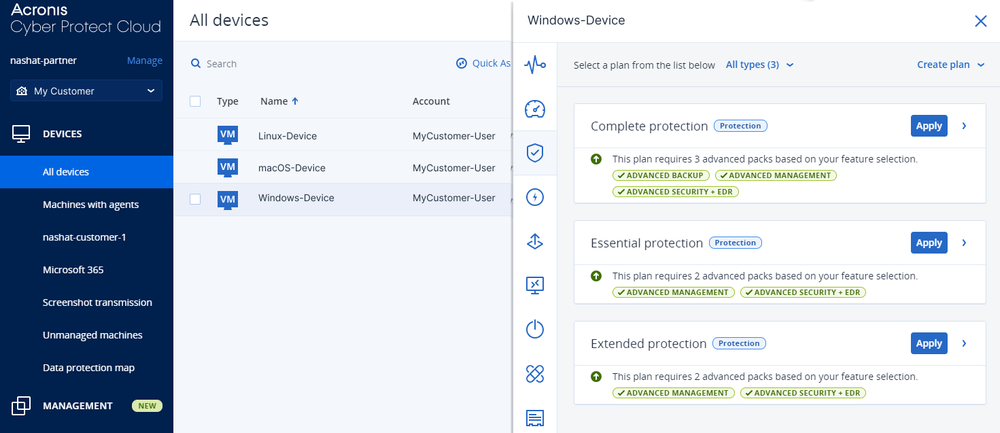
What is Acronis Cyber Protect?
Acronis Cyber Protect is an innovative backup and disaster recovery solution designed to protect businesses from data loss and downtime. It offers a comprehensive set of features that enable IT teams to plan, implement, and manage a robust backup infrastructure. With Acronis Cyber Protect, organizations can ensure the integrity and availability of their data, even in the face of unexpected disasters or cyber threats.
Main Benefits
Acronis Cyber Protect provides several key benefits, including incremental backup, disaster recovery planning using immutable storage, and advanced encryption. These features enable IT teams to streamline their backup operations, reduce storage costs, and ensure compliance with regulatory requirements.
Key Features
Incremental Backup
Acronis Cyber Protect offers incremental backup capabilities, which enable IT teams to backup only the changes made to data since the last backup. This approach reduces the amount of data that needs to be backed up, resulting in faster backup times and lower storage costs.
Disaster Recovery Planning
The solution also provides disaster recovery planning capabilities using immutable storage. This feature ensures that backup data is protected from tampering or deletion, even in the event of a cyber attack or accidental deletion.
Advanced Encryption
Acronis Cyber Protect includes advanced encryption capabilities, which ensure that backup data is protected both in transit and at rest. This feature provides an additional layer of security, ensuring that sensitive data remains confidential.
Installation Guide
System Requirements
Before installing Acronis Cyber Protect, ensure that your system meets the following requirements:
- Operating System: Windows Server 2019 or later, Linux, or macOS
- Processor: 2 GHz or faster
- Memory: 4 GB or more
- Storage: 1 GB or more of free disk space
Installation Steps
To install Acronis Cyber Protect, follow these steps:
- Download the installation package from the Acronis website.
- Run the installation package and follow the prompts to complete the installation.
- Configure the solution according to your organization’s needs.
Technical Specifications
Architecture
Acronis Cyber Protect is built on a scalable architecture that supports both physical and virtual environments. The solution can be deployed on-premises or in the cloud, providing flexibility and versatility.
Performance
The solution is optimized for high-performance backup and recovery operations, ensuring that data is protected quickly and efficiently.
Pros and Cons
Pros
Acronis Cyber Protect offers several advantages, including:
- Comprehensive backup and disaster recovery capabilities
- Advanced encryption and security features
- Scalable architecture and high-performance operations
Cons
Some potential drawbacks of the solution include:
- Steep learning curve for new users
- High cost compared to other backup solutions
FAQ
What is the difference between Acronis Cyber Protect and Acronis?
Acronis Cyber Protect is a more comprehensive solution that includes advanced features such as incremental backup, disaster recovery planning, and immutable storage. Acronis, on the other hand, is a more basic backup solution that provides standard backup and recovery capabilities.
Can I download Acronis Cyber Protect for free?
Yes, you can download a free trial version of Acronis Cyber Protect from the Acronis website. This trial version provides full functionality for a limited time, allowing you to evaluate the solution before purchasing.