
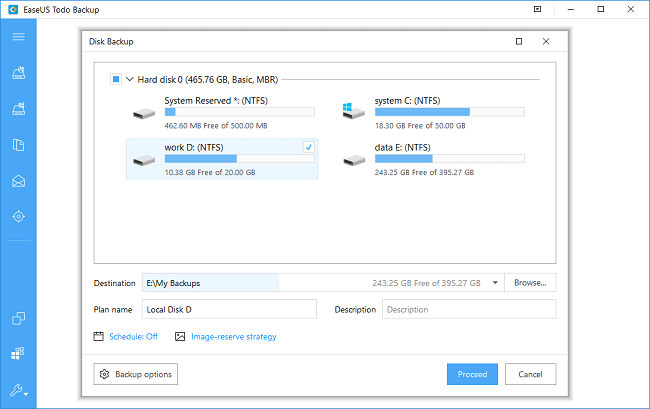
What is EaseUS Todo Backup?
EaseUS Todo Backup is a comprehensive backup and recovery software designed to help individuals and organizations protect their data from loss, corruption, or other disasters. With a user-friendly interface and robust features, EaseUS Todo Backup provides a reliable solution for backing up files, partitions, and entire systems.
Main Features and Benefits
EaseUS Todo Backup offers a range of features and benefits that make it an ideal choice for backup and recovery needs. These include:
- File-level backup: Backup individual files or folders with ease.
- Partition backup: Backup entire partitions or volumes.
- SQL Server backup: Backup SQL Server databases.
- Exchange Server backup: Backup Exchange Server data.
Why Backups Fail at Night
While backups are essential for data protection, they can fail due to various reasons. Some common causes of backup failures at night include:
Insufficient Disk Space
Running low on disk space can cause backups to fail. Ensure that you have sufficient disk space available for backups.
Network Connectivity Issues
Network connectivity issues can interrupt backups. Ensure that your network connection is stable and reliable.
Power Outages
Power outages can cause backups to fail. Consider using an uninterruptible power supply (UPS) to ensure continuous power supply.
Creating Air-Gapped Copies and Encrypted Repositories Guide
Creating air-gapped copies and encrypted repositories is essential for securing backups. Here’s a step-by-step guide:
Creating Air-Gapped Copies
1. Connect an external hard drive or USB drive to your system.
2. Use EaseUS Todo Backup to create a backup of your data.
3. Store the external hard drive or USB drive in a secure location, such as a safe or a secure offsite location.
Creating Encrypted Repositories
1. Open EaseUS Todo Backup and select the backup repository.
2. Click on the ‘Settings’ button and select ‘Encryption.’
3. Choose an encryption algorithm and set a password.
Download EaseUS Todo Backup Free and Get Started
EaseUS Todo Backup offers a free version that can be downloaded from the official website. The free version provides basic backup and recovery features, making it an ideal choice for individuals and small businesses.
System Requirements
EaseUS Todo Backup supports various operating systems, including Windows and macOS. The system requirements include:
| Operating System | Version |
|---|---|
| Windows | 10, 8.1, 8, 7 |
| macOS | 10.15, 10.14, 10.13 |
EaseUS Todo Backup Alternative
While EaseUS Todo Backup is a popular choice for backup and recovery, there are alternative solutions available. Some popular alternatives include:
Acronis Backup
Acronis Backup is a comprehensive backup and recovery software that offers advanced features, including cloud backup and disaster recovery.
Veeam Backup
Veeam Backup is a popular choice for virtual machine backup and recovery. It offers advanced features, including cloud backup and disaster recovery.
FAQ
Q: Is EaseUS Todo Backup free?
A: Yes, EaseUS Todo Backup offers a free version that provides basic backup and recovery features.
Q: Can I use EaseUS Todo Backup for business purposes?
A: Yes, EaseUS Todo Backup offers a business version that provides advanced features, including centralized management and reporting.
Q: Is EaseUS Todo Backup compatible with macOS?
A: Yes, EaseUS Todo Backup supports macOS 10.15, 10.14, and 10.13.