
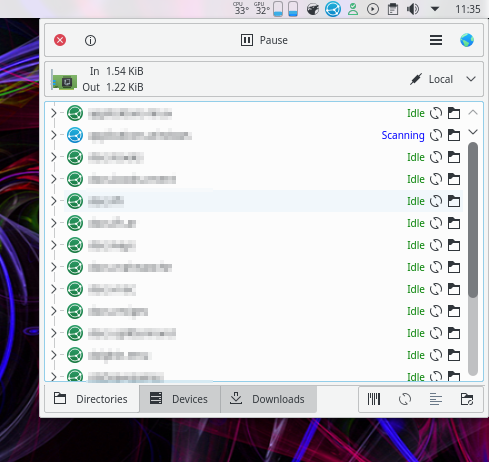
What is Syncthing?
Syncthing is a free, open-source, peer-to-peer file synchronization tool that enables users to synchronize files across multiple devices. It’s designed to handle large-scale data synchronization tasks and ensures data integrity by detecting and resolving conflicts. With Syncthing, users can synchronize files between multiple devices, including desktops, laptops, mobile devices, and servers, using various protocols such as TCP, WebSockets, and HTTP.
Main Features
Syncthing is known for its ease of use, high performance, and security. It provides several features that make it a popular choice among developers and IT professionals, including:
- Peer-to-peer synchronization: Syncthing enables users to synchronize files directly between devices without relying on a central server.
- Real-time synchronization: Syncthing synchronizes files in real-time, ensuring that data is always up-to-date across all devices.
- Conflict resolution: Syncthing detects and resolves conflicts that may arise during file synchronization, ensuring data integrity.
- Security: Syncthing provides end-to-end encryption, ensuring that data is protected during transmission.
Installation Guide
System Requirements
Syncthing can be installed on various operating systems, including Windows, macOS, and Linux. The following system requirements are recommended:
| Operating System | Minimum Requirements |
|---|---|
| Windows | Windows 10 or later, 64-bit architecture |
| macOS | macOS 10.12 or later, 64-bit architecture |
| Linux | Linux kernel 3.10 or later, 64-bit architecture |
Installation Steps
To install Syncthing, follow these steps:
- Download the installation package: Visit the Syncthing website and download the installation package for your operating system.
- Run the installation package: Run the installation package and follow the on-screen instructions to complete the installation.
- Launch Syncthing: Launch Syncthing and follow the on-screen instructions to set up your synchronization environment.
Retention Policies and Verification
Retention Policies
Syncthing provides retention policies that enable users to manage their data and ensure compliance with regulatory requirements. Retention policies can be configured to:
- Keep a certain number of versions: Syncthing can keep a certain number of versions of each file, ensuring that data is always recoverable.
- Keep files for a certain period: Syncthing can keep files for a certain period, ensuring that data is retained for a specific amount of time.
Verification
Syncthing provides verification features that enable users to ensure data integrity. Verification can be performed:
- Manually: Users can manually verify data integrity by checking file hashes and comparing them with the expected values.
- Automatically: Syncthing can automatically verify data integrity by running periodic checks on file hashes.
Backup Automation for Enterprise Environments
Benefits of Backup Automation
Backup automation provides several benefits for enterprise environments, including:
- Reduced risk of data loss: Backup automation ensures that data is regularly backed up, reducing the risk of data loss.
- Improved compliance: Backup automation ensures that data is retained for a certain period, ensuring compliance with regulatory requirements.
- Increased efficiency: Backup automation automates the backup process, reducing the need for manual intervention and increasing efficiency.
Configuring Backup Automation with Syncthing
To configure backup automation with Syncthing, follow these steps:
- Configure retention policies: Configure retention policies to manage data and ensure compliance with regulatory requirements.
- Configure verification: Configure verification to ensure data integrity.
- Schedule backups: Schedule backups to run automatically at regular intervals.
How to Encrypt Backup Repositories
Why Encrypt Backup Repositories?
Encrypting backup repositories provides several benefits, including:
- Improved security: Encrypting backup repositories ensures that data is protected from unauthorized access.
- Compliance with regulatory requirements: Encrypting backup repositories ensures compliance with regulatory requirements, such as GDPR and HIPAA.
Configuring Encryption with Syncthing
To configure encryption with Syncthing, follow these steps:
- Enable encryption: Enable encryption in the Syncthing settings.
- Configure encryption settings: Configure encryption settings, such as the encryption algorithm and key size.
- Generate encryption keys: Generate encryption keys to use with Syncthing.
Syncthing vs Restic
Comparison of Features
Syncthing and Restic are both popular backup tools, but they have different features and use cases. Here’s a comparison of their features:
| Feature | Syncthing | Restic |
|---|---|---|
| Peer-to-peer synchronization | Yes | No |
| Real-time synchronization | Yes | No |
| Conflict resolution | Yes | No |
| Encryption | Yes | Yes |
Use Cases
Syncthing and Restic have different use cases, including:
- Syncthing: Syncthing is suitable for large-scale data synchronization tasks and provides features such as peer-to-peer synchronization, real-time synchronization, and conflict resolution.
- Restic: Restic is suitable for backup and restore tasks and provides features such as encryption and compression.
Frequently Asked Questions
Q: What is Syncthing?
A: Syncthing is a free, open-source, peer-to-peer file synchronization tool that enables users to synchronize files across multiple devices.
Q: How do I install Syncthing?
A: To install Syncthing, download the installation package for your operating system and follow the on-screen instructions.
Q: How do I configure retention policies with Syncthing?
A: To configure retention policies with Syncthing, follow these steps: configure retention policies to manage data and ensure compliance with regulatory requirements.