
What is NovaBACKUP?
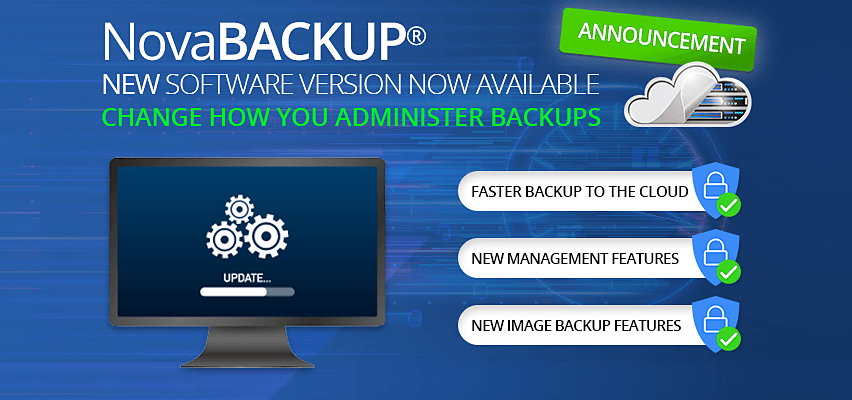
NovaBACKUP is a comprehensive backup and disaster recovery solution designed to help businesses protect their critical data. It offers a robust and scalable platform for automating backups, ensuring business continuity, and minimizing the risk of data loss. With NovaBACKUP, organizations can implement a reliable offsite backup strategy with retention policies, ensuring that their data is always available and easily recoverable.
Main Benefits of NovaBACKUP
NovaBACKUP provides several key benefits, including automated backups, data deduplication, and compression. These features enable businesses to reduce the amount of storage required for their backups, while also minimizing the time and effort required to manage their backup operations.
Key Features of NovaBACKUP
Automated Backup and Restore
NovaBACKUP offers a simple and intuitive interface for automating backups and restores. Users can schedule backups to run at specific times, and choose from a variety of backup options, including full, incremental, and differential backups.
Backup Scheduling Options
NovaBACKUP provides a range of scheduling options, including daily, weekly, and monthly backups. Users can also choose to run backups on specific days of the week, or at specific times of the day.
Offsite Backup Strategy with Retention Policies
NovaBACKUP enables organizations to implement a reliable offsite backup strategy with retention policies. This ensures that critical data is always available and easily recoverable, even in the event of a disaster.
Retention Policy Options
NovaBACKUP provides a range of retention policy options, including the ability to retain backups for a specific period of time, or to keep a specific number of backups. Users can also choose to delete backups after a certain period of time.
Installation Guide
System Requirements
Before installing NovaBACKUP, users should ensure that their system meets the minimum system requirements. These include a compatible operating system, sufficient disk space, and a supported processor.
Supported Operating Systems
NovaBACKUP supports a range of operating systems, including Windows, Linux, and macOS.
Installation Steps
Once the system requirements have been verified, users can follow these steps to install NovaBACKUP:
- Download the NovaBACKUP installation file from the official website.
- Run the installation file and follow the on-screen prompts.
- Accept the terms of the license agreement and choose the installation location.
- Choose the components to install and click Next.
- Wait for the installation to complete and then restart the system.
Verifying Restore Points
Why Verify Restore Points?
Verifying restore points is an essential step in ensuring that backups are complete and recoverable. This helps to minimize the risk of data loss and ensures that critical data is always available.
How to Verify Restore Points
NovaBACKUP provides a simple and intuitive interface for verifying restore points. Users can follow these steps to verify their restore points:
- Open NovaBACKUP and navigate to the Restore tab.
- Select the backup job and click Verify.
- Wait for the verification process to complete and then review the results.
Pros and Cons of NovaBACKUP
Pros of NovaBACKUP
NovaBACKUP offers several key benefits, including automated backups, data deduplication, and compression. These features enable businesses to reduce the amount of storage required for their backups, while also minimizing the time and effort required to manage their backup operations.
Cons of NovaBACKUP
Some users have reported that NovaBACKUP can be complex to configure and manage, particularly for large-scale deployments. Additionally, the software requires a significant amount of system resources, which can impact performance.
NovaBACKUP vs Veeam Agent
Key Differences
NovaBACKUP and Veeam Agent are both popular backup and disaster recovery solutions, but they offer distinct features and benefits. NovaBACKUP provides a more comprehensive platform for automating backups, while Veeam Agent offers a more streamlined interface for managing backups.
Comparison of Features
| Feature | NovaBACKUP | Veeam Agent |
|---|---|---|
| Automated Backup and Restore | Yes | Yes |
| Data Deduplication and Compression | Yes | No |
| Offsite Backup Strategy with Retention Policies | Yes | No |
FAQ
Q: How do I download NovaBACKUP for free?
A: NovaBACKUP offers a free trial version that can be downloaded from the official website. Users can also purchase a license to access the full features of the software.
Q: What is the difference between NovaBACKUP and Veeam Agent?
A: NovaBACKUP and Veeam Agent are both backup and disaster recovery solutions, but they offer distinct features and benefits. NovaBACKUP provides a more comprehensive platform for automating backups, while Veeam Agent offers a more streamlined interface for managing backups.