
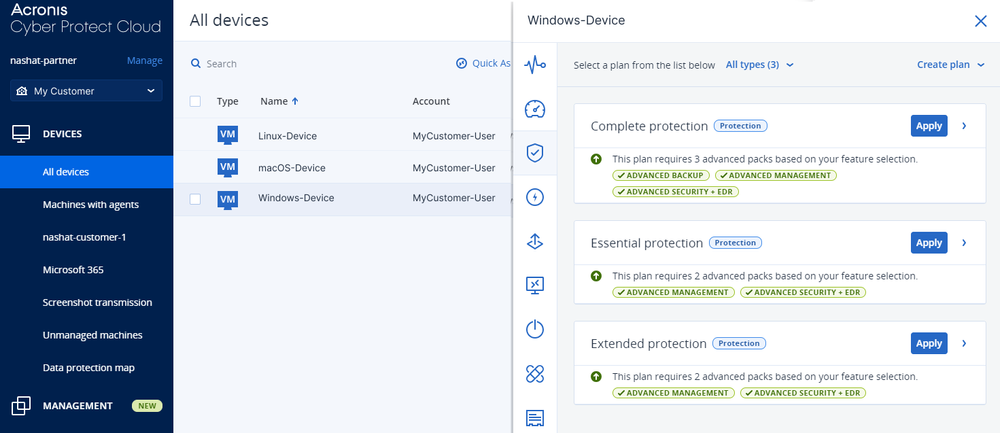
What is Acronis Cyber Protect?
Acronis Cyber Protect is a comprehensive backup and security solution designed for businesses and IT teams. It provides a robust platform for protecting data from various threats, including cyberattacks, human error, and hardware failures. With its advanced features, Acronis Cyber Protect ensures that your data is safe, secure, and easily recoverable in case of any disaster.
Main Features of Acronis Cyber Protect
Acronis Cyber Protect offers a wide range of features that make it an ideal solution for backup and security needs. Some of its key features include:
- Incremental and synthetic full backups for efficient data protection
- Immutability and offsite copies for added security
- Recovery testing and validation for ensuring data integrity
- Encryption and access controls for secure data storage
Why Retention Policies Matter in Acronis Cyber Protect
Understanding Retention Policies
Retention policies play a crucial role in Acronis Cyber Protect, as they help determine how long your data is stored and when it is deleted. A well-planned retention policy ensures that your data is kept for the required amount of time, allowing you to meet regulatory requirements and maintain data integrity.
Benefits of Retention Policies
The benefits of retention policies in Acronis Cyber Protect include:
- Compliance with regulatory requirements
- Reduced storage costs
- Improved data management
- Enhanced security and protection
Incremental and Synthetic Full Backup Tutorial
Understanding Incremental Backups
Incremental backups are a type of backup that only captures the changes made to your data since the last backup. This approach helps reduce storage requirements and speeds up the backup process.
Understanding Synthetic Full Backups
Synthetic full backups, on the other hand, create a full backup from a series of incremental backups. This approach helps reduce the time required for full backups and improves data protection.
Configuring Incremental and Synthetic Full Backups in Acronis Cyber Protect
To configure incremental and synthetic full backups in Acronis Cyber Protect, follow these steps:
- Log in to the Acronis Cyber Protect console
- Navigate to the Backup Plans section
- Create a new backup plan or edit an existing one
- Select the incremental backup option
- Configure the synthetic full backup settings
Download Acronis Cyber Protect Free and Compare with Acronis
Download Acronis Cyber Protect Free Trial
You can download a free trial of Acronis Cyber Protect from the official Acronis website. This trial version allows you to test the features and functionality of the solution before purchasing a license.
Acronis Cyber Protect vs Acronis: What’s the Difference?
Acronis Cyber Protect is a more comprehensive solution than Acronis, offering advanced features such as immutability and offsite copies. Acronis, on the other hand, is a more basic solution that provides standard backup and recovery features.
| Feature | Acronis Cyber Protect | Acronis |
|---|---|---|
| Immutability | Yes | No |
| Offsite Copies | Yes | No |
| Recovery Testing | Yes | No |
FAQ
Frequently Asked Questions
Here are some frequently asked questions about Acronis Cyber Protect:
- What is the difference between Acronis Cyber Protect and Acronis?
- How do I configure incremental and synthetic full backups in Acronis Cyber Protect?
- What are the benefits of retention policies in Acronis Cyber Protect?
Answers to FAQs
For answers to these and other questions, please refer to the Acronis Cyber Protect documentation and knowledge base.
Conclusion
In conclusion, Acronis Cyber Protect is a powerful backup and security solution that provides a wide range of features for protecting your data. With its advanced features such as immutability, offsite copies, and recovery testing, Acronis Cyber Protect ensures that your data is safe, secure, and easily recoverable in case of any disaster. By following the guidelines and best practices outlined in this article, you can ensure that your data is properly protected and secured with Acronis Cyber Protect.