
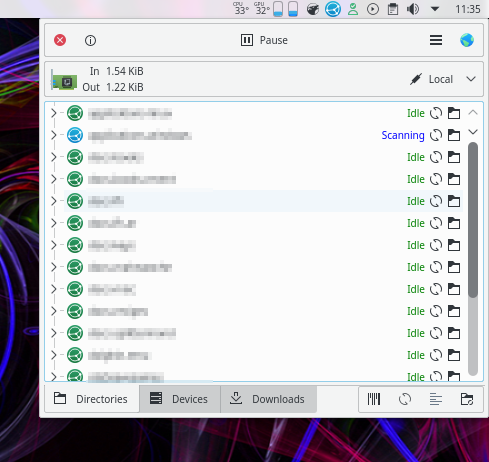
What is Syncthing?
Syncthing is a free and open-source peer-to-peer file synchronization tool that allows users to synchronize files across multiple devices. It is a decentralized solution that enables users to share files without relying on a centralized server. Syncthing is designed to be highly customizable and can be used for a variety of purposes, including backup and disaster recovery.
Main Features
Syncthing has several key features that make it an attractive solution for file synchronization and backup. Some of the main features include:
- Decentralized architecture: Syncthing uses a peer-to-peer architecture, which means that there is no centralized server controlling the synchronization process.
- Real-time synchronization: Syncthing synchronizes files in real-time, ensuring that all devices have the most up-to-date version of the files.
- Customizable: Syncthing can be customized to meet the specific needs of users, including the ability to set up custom folders and files to synchronize.
- Security: Syncthing uses end-to-end encryption to ensure that files are transmitted securely.
Why Retention Policies Matter
Understanding Retention Policies
Retention policies are an essential aspect of any backup and disaster recovery strategy. A retention policy defines how long data is kept and when it is deleted. In the context of Syncthing, retention policies can be used to control how long files are kept on the system.
Syncthing allows users to set up custom retention policies, which can be used to ensure that files are kept for a specified period. This is particularly useful for organizations that need to comply with regulatory requirements or for individuals who want to ensure that their files are kept for a certain period.
Benefits of Retention Policies
Retention policies offer several benefits, including:
- Compliance: Retention policies can help organizations comply with regulatory requirements.
- Data protection: Retention policies can ensure that data is kept for a specified period, which can help protect against data loss.
- Storage management: Retention policies can help manage storage space by automatically deleting files that are no longer needed.
Incremental and Synthetic Full Backup Tutorial
Understanding Incremental and Synthetic Full Backups
Incremental and synthetic full backups are two types of backups that can be used to protect data. Incremental backups involve backing up only the changes made to the data since the last backup, while synthetic full backups involve creating a full backup from a series of incremental backups.
Syncthing supports both incremental and synthetic full backups, which can be used to create a robust backup strategy.
Setting Up Incremental and Synthetic Full Backups in Syncthing
To set up incremental and synthetic full backups in Syncthing, follow these steps:
- Install Syncthing on your devices.
- Configure the folders and files to synchronize.
- Set up the retention policy.
- Configure the backup settings.
Download Syncthing Free
Getting Started with Syncthing
Syncthing is free to download and use. To get started, follow these steps:
- Download the Syncthing software from the official website.
- Install the software on your devices.
- Configure the folders and files to synchronize.
- Set up the retention policy.
Syncthing vs Acronis
Comparing Syncthing and Acronis
Syncthing and Acronis are two popular backup solutions. While both solutions offer robust backup features, there are some key differences.
| Feature | Syncthing | Acronis |
|---|---|---|
| Cost | Free | Paid |
| Architecture | Decentralized | Centralized |
| Customization | Highly customizable | Less customizable |
Ultimately, the choice between Syncthing and Acronis will depend on your specific needs and requirements.
FAQ
Frequently Asked Questions
Here are some frequently asked questions about Syncthing:
- Q: Is Syncthing free?
- A: Yes, Syncthing is free to download and use.
- Q: Is Syncthing secure?
- A: Yes, Syncthing uses end-to-end encryption to ensure that files are transmitted securely.